We’re launching a major update to the MacroFab PCB assembly experience. FabIQ™ now flags quality risks in your design before a single board is built, with DRC results on complex boards in under a minute, the PCB interface is cleaner and easier to navigate, part placements live right in the main viewer with one-click alignment correction, and uploading changes to an existing design is simpler than ever.
Here’s what’s new.
Predictive Quality and Real-Time Interactive DRC
FabIQ, MacroFab’s AI pricing and design analysis engine, builds on a decade of quality and process data: more than 5 million PCBs produced across more than 23,000 jobs, representing nearly 10 billion data points. FabIQ draws on that history to identify potential issues that can lead to higher defect rates on your design. That means you can catch them quickly and resolve them before building a single PCB.
That timing matters. A design issue caught at upload costs you a few minutes and a revised file. The same issue caught at first-article inspection, or worse, after a full production run, can mean scrapped boards, rework, a board respin, and weeks of lost schedule. Predictive quality is built to move that discovery to the earliest, cheapest point in the process.
Real-time DRC
Design rule checks are only useful if you actually run them, and on complex boards, many DRC tools on the market can take hours to finish. That turns DRC into an overnight batch job instead of part of your workflow.
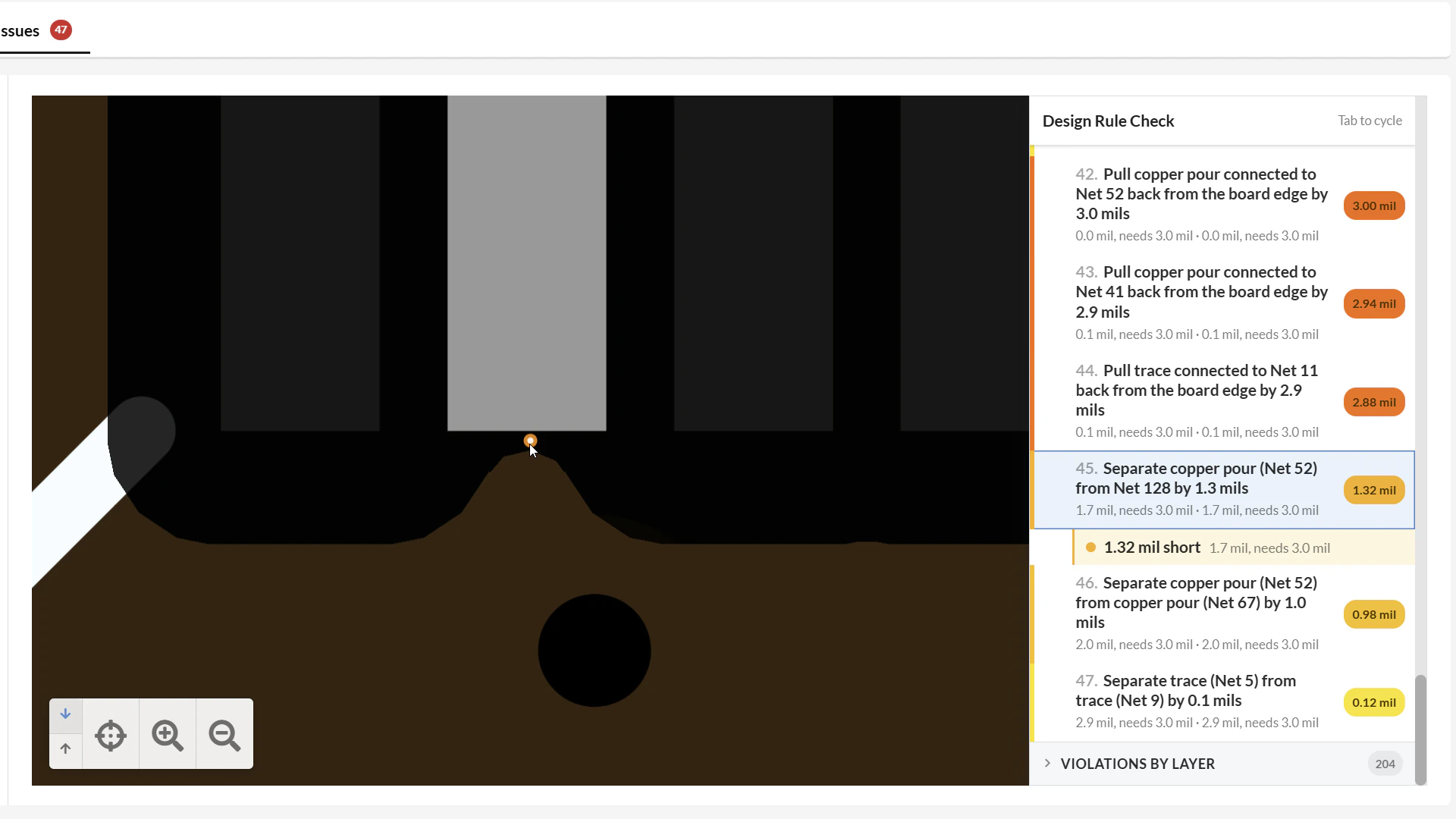
FabIQ’s DRC engine processes boards of up to 32 layers and 27,000 placements in under a minute. It automatically visualizes design rule violations across all layers and shows exactly where each issue occurs, so you can review results, fix the design, and re-check while the board is still fresh in your mind.
Exclude regions from DRC
Not every flagged feature is a real problem. Logos, artwork, and other non-functional copper or silkscreen details can trip design rules without having any effect on how the board is built or how it performs, and a long list of false hits makes it harder to spot the violations that matter.
You can now exclude regions of the PCB from DRC. Mark an area like a logo as excluded, and FabIQ leaves it out of the results, so your violation list stays focused on the issues that actually need your attention.
Solder paste issue detection
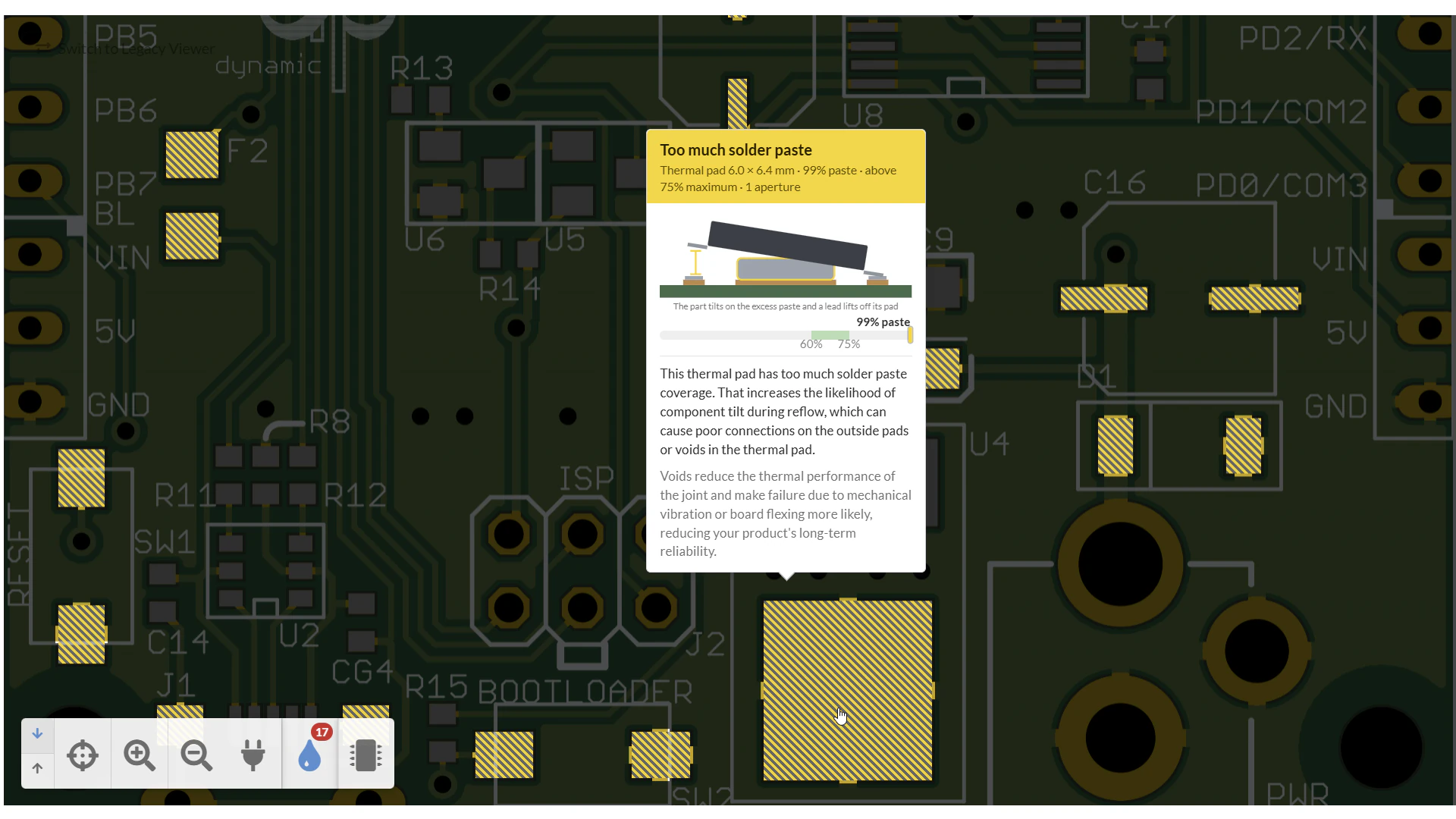
Solder paste is where a large share of assembly defects begin. The amount of paste deposited on each pad, set by the stencil apertures derived from your paste layer, directly determines how a component solders during reflow. Small problems in the paste layer can turn into real defects on the line:
- Tombstoning: Uneven paste or heating on a small two-terminal part (like an 0402 resistor) causes one end to wet first and pull the part upright, leaving an open circuit.
- Solder bridging: Too much paste, or apertures too close together, lets solder join adjacent pads, which is especially common on fine-pitch ICs.
- Insufficient solder: Too little paste leaves weak or incomplete joints that may pass a visual check but fail in the field.
- Coplanarity defects: Inconsistent paste volume under a component’s leads or pads leaves the part sitting unevenly, so some joints never form properly.
- Via wicking: Vias in or near pads can draw molten solder away from the joint, starving it of the solder it needs.
FabIQ identifies these paste issues automatically, including under- and over-pasting, via wicking, and more. It provides clarity and guidance on the impact of each issue so you can reduce the potential for these defects and make sure your products are built right the first time.
A Cleaner, Easier-to-Navigate PCB Experience
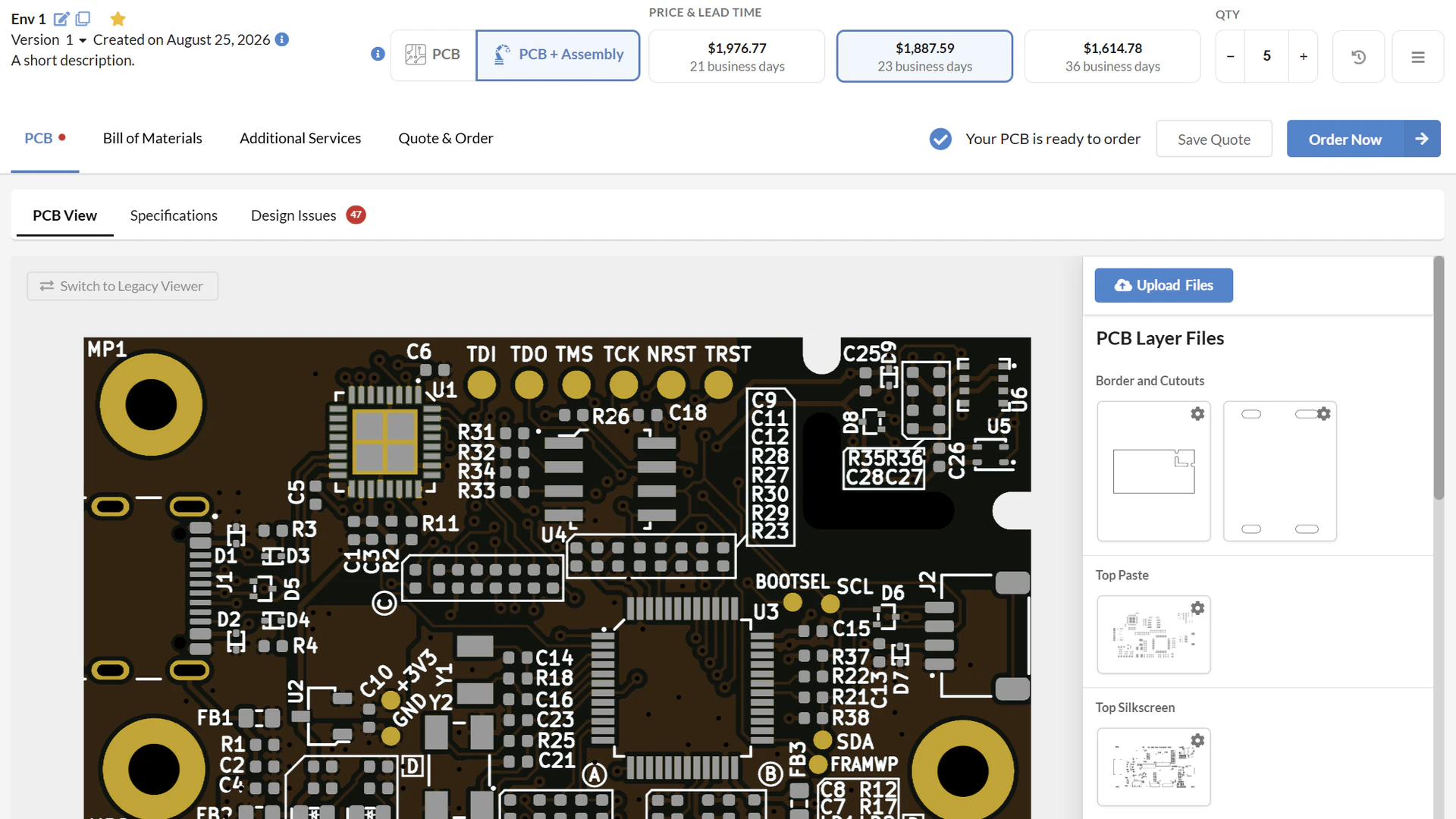
Based on the feedback we’ve received, we’re making the world’s best PCB assembly interface even better. We’ve restructured the PCB screen around how you actually use it: fewer intrusive options competing for your attention, and the features you reach for most are front and center and easier to find.
The result is a cleaner, tighter interface that’s easier to navigate, so you spend less time hunting for the right control and more time reviewing your board.
Part Placements in the PCB Viewer, with Auto-Fix Alignment
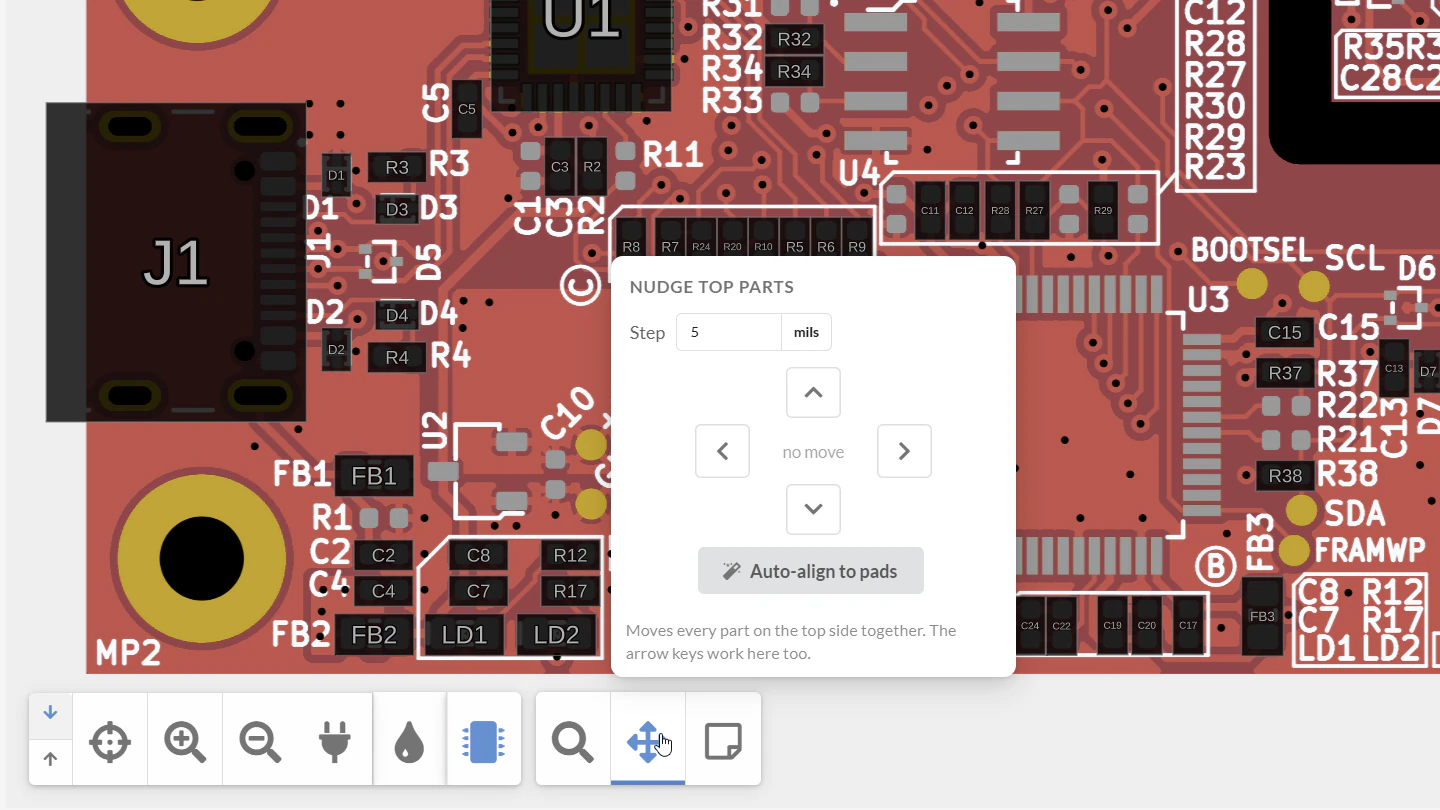
You no longer need to switch to a separate tab to view placements. They’re rendered right on the PCB viewer with the click of a button, with the same ability to add notes and move placements.
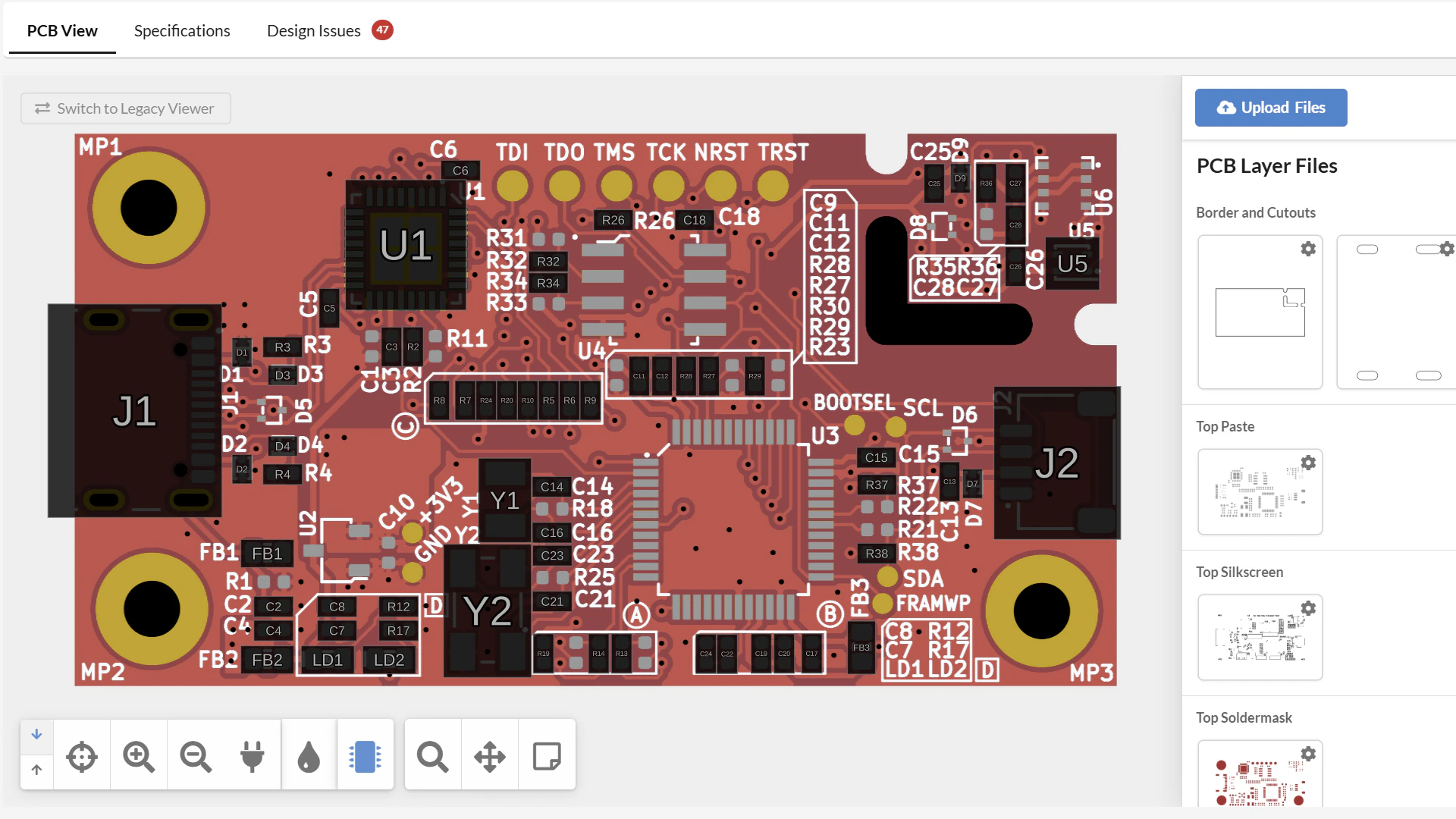
We’ve also added a great new feature to placement review: automatic placement correction. It’s common for component centroid data to be slightly off (OK, sometimes very off) from the Gerber data. The causes are usually mundane: the CAD tool exports placements relative to a different origin than the Gerbers, rotation conventions differ between tools and libraries, a footprint’s reference point isn’t at the part’s true center, or units get mixed up along the way. Whatever the cause, misaligned placement data has to be found and corrected before the board can be programmed for pick-and-place.
With one click, FabIQ analyzes the components and soldermask layers on your board and instantly corrects placement, replacing tedious manual nudging with a single step.
A New Upload Experience
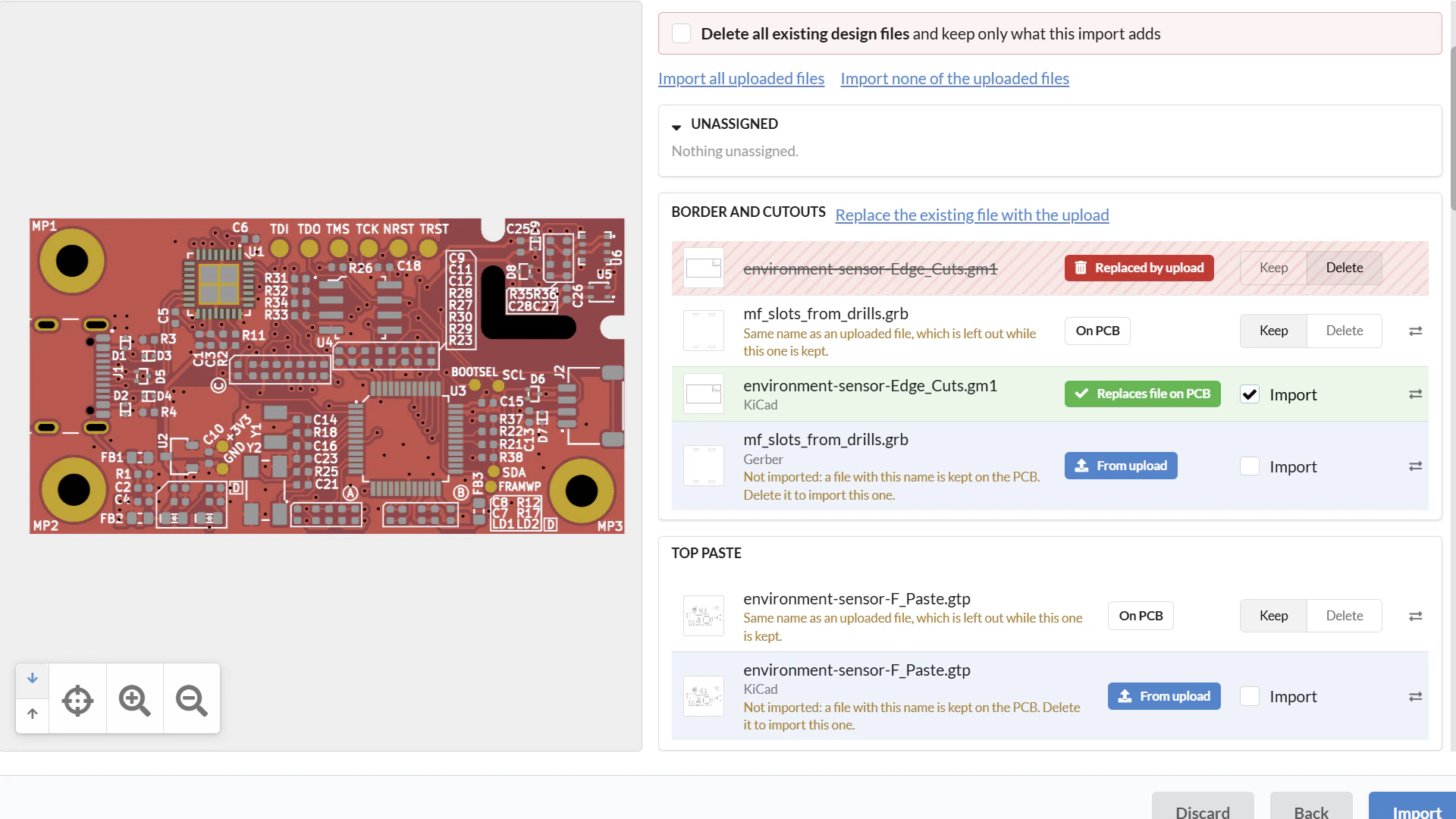
Hardware rarely ships on the first revision. Between prototype spins, engineering changes, and last-minute fixes, most designs get uploaded more than once, and every re-upload is a chance for a layer to be misidentified or a file to land in the wrong place.
We’ve updated the upload experience to better handle changes to existing designs. You’ll see previews of your Gerber layers as they will look after upload, so you can confirm everything is right before committing. And if a new file isn’t matched automatically, you can simply drag it into the correct layer.
Try It on Your Next Order
All of these updates are live now. Upload your design, review FabIQ’s predictive quality findings, check your placements in the viewer, and order with confidence.
Get an instant quote and see them in action.
What is FabIQ?
FabIQ is MacroFab’s AI pricing and design analysis engine. It’s built on a decade of quality and process data, more than 5 million PCBs across more than 23,000 jobs and nearly 10 billion data points, and uses it to flag design issues that can raise defect rates before a board is built.
How fast is FabIQ’s design rule check (DRC)?
FabIQ’s DRC engine processes boards of up to 32 layers and 27,000 placements in under a minute, and shows violations across all layers exactly where they occur.
Can I exclude logos or artwork from DRC?
Yes. You can exclude regions of the PCB from DRC, so non-functional features like logos and artwork don’t generate false violations, and the results stay focused on issues that affect manufacturing.
What solder paste issues does FabIQ detect?
FabIQ automatically identifies under- and over-pasting, via wicking, and more, and explains how each issue affects the risk of tombstoning, solder bridging, insufficient solder, and coplanarity defects.
Can MacroFab fix centroid data that doesn’t match my Gerbers?
Yes. With one click, FabIQ analyzes the components and soldermask layers on your board and automatically corrects part placements that are offset from the Gerber data.
Can I view part placements without leaving the PCB viewer?
Yes. Placements now render directly on the main PCB viewer with one click, and you can still add notes and move placements there.
How do I upload a revised version of an existing design?
The new upload experience previews your Gerber layers as they’ll look after upload, and lets you drag any file that wasn’t matched automatically into the correct layer.